HT-1080Z Development
Klive assembles machine code for the HT-1080Z, runs it in the emulated machine, debugs it at the
source level, and exports it as a .cmd load module or a .cas tape that loads with SYSTEM on
other TRS-80 Model I emulators and on real hardware.
Quick Start
Create a project for the HT-1080Z and its code/code.kz80.asm is a program that prints a welcome:
; An HT-1080Z machine-code program. Run (or Debug) starts the machine, answers its power-on question
; with the code's address, so BASIC keeps below it, writes the code into RAM and starts it at Start.
; Export writes a .cmd (or .cas) file that loads with SYSTEM: type its name, then / to start it.
    .model HT1080Z
    .org $7000

CLS         .equ $01C9  ; ROM: clear the screen, cursor to the top left
PRINT_CHAR  .equ $0033  ; ROM: print the character in A at the cursor
CURSOR      .equ $4020  ; the cursor's address in video RAM
READY       .equ $06CC  ; ROM: back to BASIC's READY prompt
VIDEO       .equ $3C00  ; video RAM: 16 lines of 64 characters

Start:
    call CLS
    ld hl,VIDEO+6*64+22     ; line 6, column 22
    ld de,Welcome
    call PrintAt
    ld hl,VIDEO+8*64+28     ; line 8, column 28
    ld de,Machine
    call PrintAt

    ; --- A block-graphics bar under the welcome: $83 lights the top two blocks of a cell
    ld hl,VIDEO+7*64+22
    ld b,20
Bar:
    ld (hl),$83
    inc hl
    djnz Bar

    ; --- Leave the cursor below the text and go back to BASIC. JP, not RET: a program SYSTEM
    ; --- started has no return address on the stack
    ld hl,VIDEO+11*64
    ld (CURSOR),hl
    jp READY

; Prints the text at DE, which ends in 0, from the video RAM address in HL. The ROM draws its cursor
; where it will print next; it is blanked before the cursor moves, so nothing is left behind.
PrintAt:
    push hl
    call HideCursor
    pop hl
    ld (CURSOR),hl
NextChar:
    ld a,(de)
    or a
    jr z,HideCursor
    push de
    call PRINT_CHAR
    pop de
    inc de
    jr NextChar
HideCursor:
    ld hl,(CURSOR)
    ld (hl),' '
    ret

Welcome:
    .defm "WELCOME TO KLIVE IDE"
    .defb 0
Machine:
    .defm "HT-1080Z"
    .defb 0
Run prints the welcome in the middle of the screen, and the program goes back to BASIC’s
READY prompt. Debug does the same, stopping at your breakpoints.
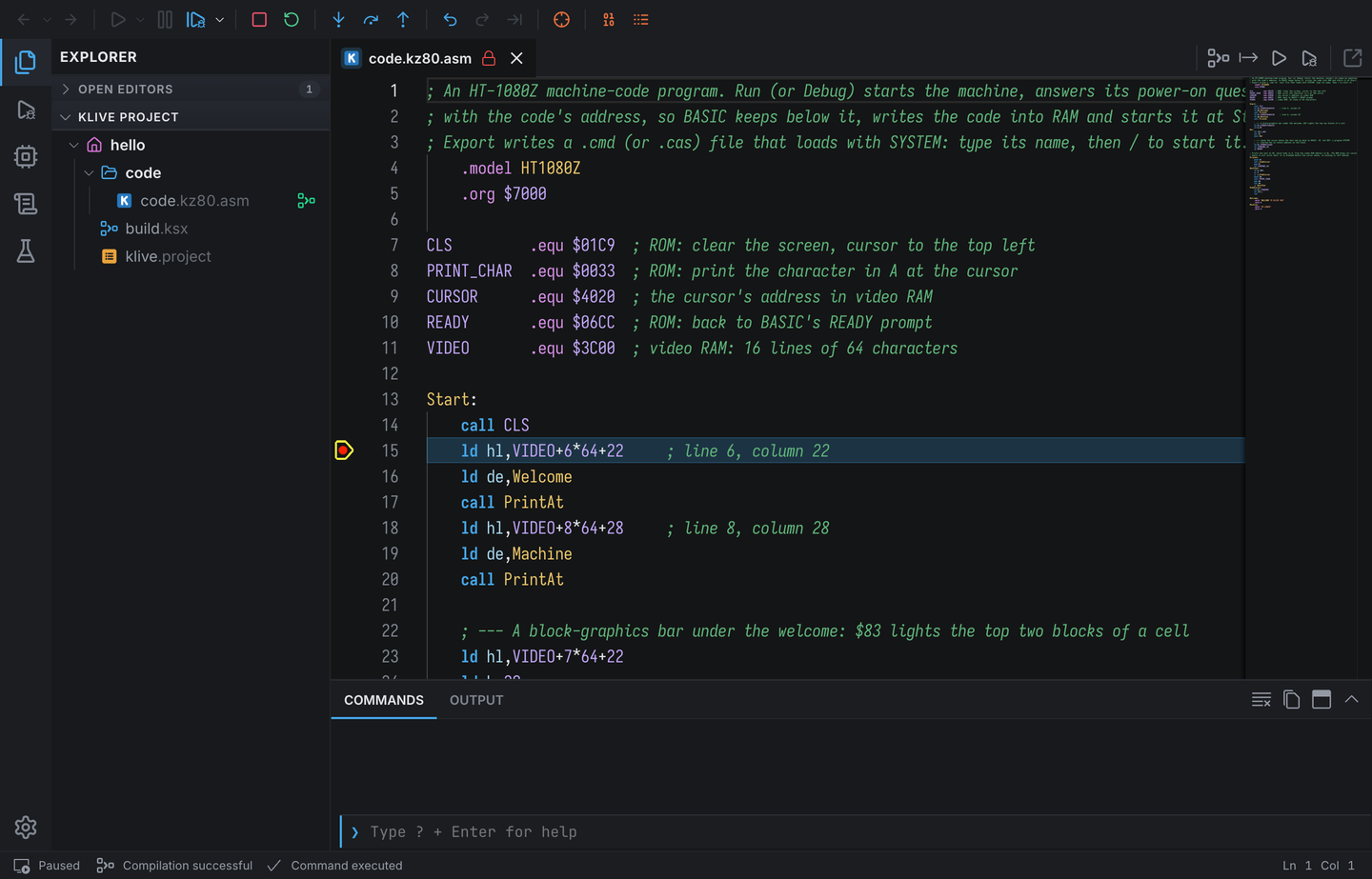 The template works on every
model: Series I, Series II, the /64 and the 48K variants.
How the code gets into the machine
Run and Debug do what you would do on the real machine:
- Klive switches the machine on and waits for its power-on question:
READY ?on Series I and II,MEMORY SIZE?on the /64. - It answers with the address of your code, in decimal. BASIC then keeps its program, variables and stack below that address, so it never overwrites your code.
- When BASIC shows its
>prompt, Klive writes the code where it was assembled and starts it at the.entaddress (else the start of the first segment). - It pushes the address of BASIC’s
READYprompt ($06CC) first, so aRETfrom your code goes back to BASIC.
Inject writes the code into the running machine without starting it, and points BASIC’s USR
function at it: type X=USR(0) to call it. Inject does not move BASIC’s memory top, so code below
it may be overwritten by BASIC; use Run when that matters.
Rules of the machine
- Where code goes. RAM starts at $42E9 and ends at $7FFF on a 16K model, $FFFF on a 48K one.
Leave BASIC at least 1K: code must start at $46E9 or above. $7000 is a good place, and it is where
code with no
.orggoes. - What cannot be written. Below $3C00 are the ROM, the extension ROM and the keyboard: the assembler warns about code there, and Run, Inject and Export refuse it.
- Video RAM. $3C00-$3FFF is the screen, 16 lines of 64 characters. A segment there is written, which can put a picture on the screen, but BASIC’s output overwrites it. The ROM’s work area, $4000-$42E8, gets the same warning.
- No banks and no interrupts.
.bankis not available, and the Z80’s INT line is not connected: there is noIM/EIroutine to write. The RESET key on the back of the machine is an NMI. - Text is ASCII.
.defmwrites what the screen shows. Series II shows its accented capitals É, Ö, Á and Ü in place of@,\,]and^, and the /64 has 32 more characters at $00-$1F.
Useful ROM routines (Level II BASIC, the same on every model):
| Address | What it does |
|---|---|
| $0033 | Print the character in A at the cursor (the cursor’s address is at $4020) |
| $002B | Read the keyboard without waiting: the key in A, 0 for none |
| $0049 | Wait for a key: the key in A |
| $01C9 | Clear the screen |
| $06CC | Back to BASIC’s READY prompt |
Exporting
Export (or expc <file>) writes a .cmd load module by default, or a .cas tape with -f cas.
-n sets the module’s name (at most 6 letters and digits). Both load on the HT-1080Z with SYSTEM:
type the name, and at the *? prompt type / to start the code.
SYSTEM starts the code with a JP, not a CALL, so a RET has nowhere to go and restarts the
machine. A program meant to be exported goes back to BASIC with JP $06CC, as the template does.
Testing
Z80 unit tests run on the HT-1080Z: the runner boots the machine as Run does and calls each test.