The Videoton TVC
The Videoton TV Computer (TVC) was a Hungarian home and school computer of the second half of the 1980s: a Z80 at 3.125 MHz, a 6845 video chip drawing 2-, 4- or 16-colour graphics, Microsoft-derived BASIC in ROM, and a cassette recorder. This page covers the models, typing, tapes, the floppy interface, running your own machine code, and debugging.
Applies to: Videoton TVC 64K, Videoton TVC 64K+
Models
Choose a model with Machine › Machine Type or Select machine… (see Choosing a machine):
| Model | BASIC | Video RAM | What it adds |
|---|---|---|---|
| Videoton TVC 64K (the default) | 1.2 | One 16K bank | The original machine |
| Videoton TVC 64K+ | 2.2 | Four 16K banks | AUTO, RENUMBER, ELLIPSE, RECTANGLE, POLYGON and more; the CPU and the picture can use different video banks |
The ROMs ship with Klive. Machine types lists the model IDs.
Starting up
At power-on the ROM tests the memory for about five seconds, then shows its animated VIDEOTON
sign-on. Press any key: BASIC prints its banner, the free memory (42255 bytes on the 64K) and ok.
Typing
Your keyboard maps to the TVC’s keys by position, so SHIFT with a key gives the TVC’s shifted symbol. The TVC’s letter keys type small letters, and SHIFT capitals; BASIC turns keywords and variable names into capitals as it stores them. The Hungarian letters have their own keys, as on the TVC: Á É Í Ó Ö Ő Ú Ü Ű and their small letters. The commands Klive types for you (Run, Load and Run) come out as written.
The on-screen keyboard (Show/Hide keyboard in the emulator’s toolbar) is the TVC’s own, with its
built-in joystick on the right. Click a key to press it, or right-click it to press it with SHIFT;
clicking the small symbol printed above a key’s main legend presses SHIFT too. The joystick’s arrows
are the cursor keys and its knob is FIRE, which BASIC’s JOY reads. Your keyboard’s Insert key is
the TVC’s INS.
Tapes
TVC tapes are .cas files. Insert one with Machine › Tape › Insert Tape…, the media strip under
the screen, or by opening the file, and type LOAD in BASIC. The recorder’s motor follows the ROM,
and Fast load (on by default) runs the machine faster while the tape plays.
To load and start a tape in one step, use Load and run tape in a .cas document’s tab bar or
the Explorer’s menu, or the tape-load -r command: Klive boots BASIC, types LOAD, and types RUN
afterwards unless the tape starts itself. SAVE writes a new .cas file beside your project.
The HT-1080Z’s tapes are .cas files too. Klive treats a .cas as the TVC’s while the TVC is the
running machine.
The HBF floppy interface and VT-DOS
Videoton’s HBF card connects up to two 5¼” floppy drives, with the VT-DOS disk system in its ROM.
Plug in the card
Turn on Machine › Disks › HBF Floppy Interface (VT-DOS). The machine restarts with the card in its first slot.
Insert a disk
Use Machine › Disks › Insert Disk into Drive A… (or the media strip). TVC disks are raw .dsk images in
the MS-DOS format VT-DOS uses: 720K (80 cylinders, two sides) or single-sided 360K.
Use it from BASIC
LOAD"NAME" and SAVE"NAME" now read and write the disk (.CAS files on it). EXT2 starts VT-DOS’s
command line, where DIR, CD, COPY and the other commands work; Escape returns to BASIC.
What the machine writes goes back into the .dsk file, unless the disk is write-protected
(Machine › Disks › Write Protect Drive A).
Running your own code
Create a project for the TVC (see Creating projects) and
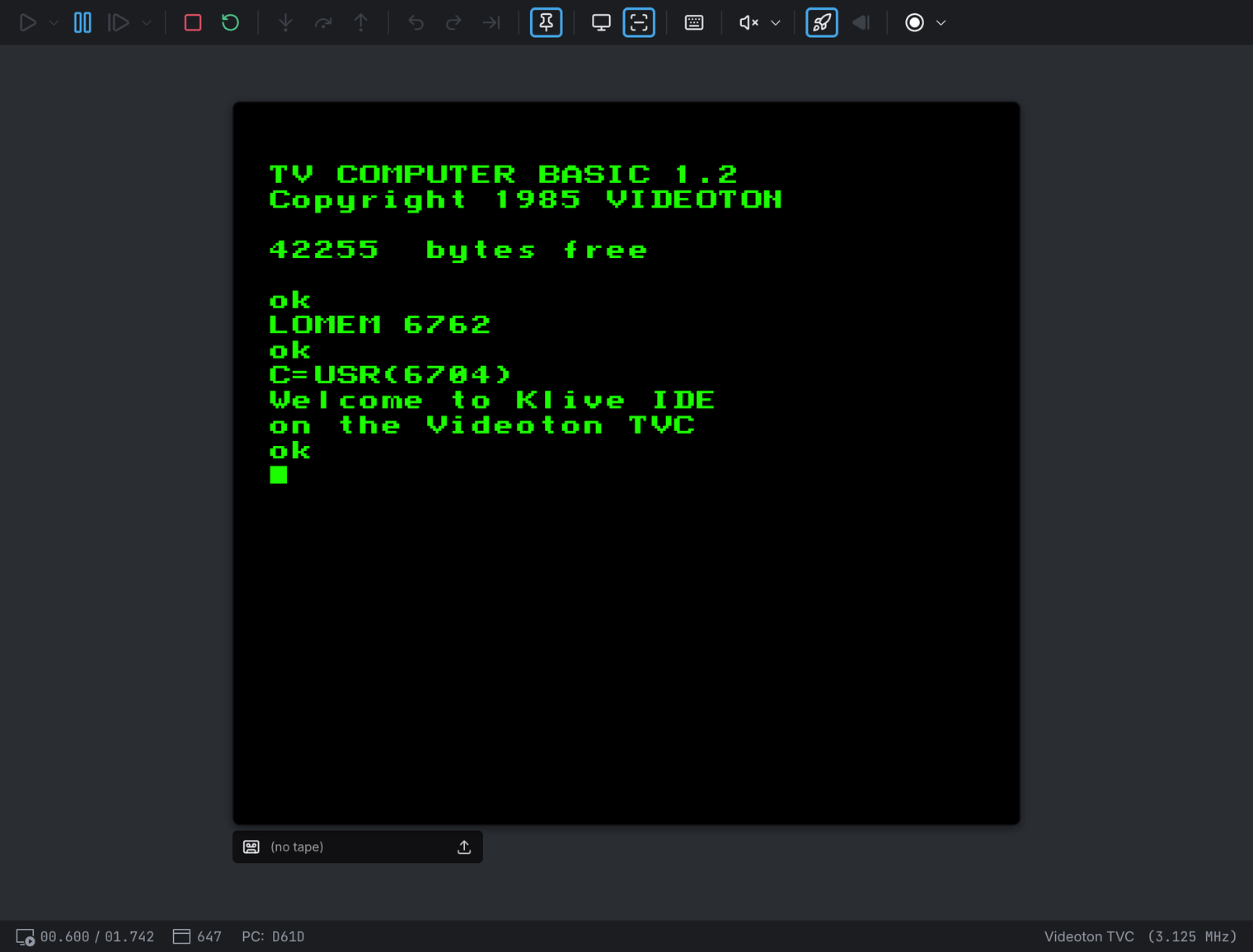
press Run. Klive boots BASIC, writes your code into memory, moves BASIC above it with LOMEM, and
has BASIC call it with C=USR(…): a RET from your code goes back to BASIC’s ok.
Videoton TVC development explains the memory rules,
the operating system’s calls and the .cas export.
Debugging
The debugger, the execution history, reverse debugging, code coverage and state files all work on
the TVC. Its memory banks show in the Memory and Disassembly views as U0–U3 (RAM), V0–V3
(video RAM), SYS, CART and EXT, and, with the floppy interface, HBF0–HBF3 and HBFR. The
BASIC Listing view (View › Machine Views › BASIC Listing) lists BASIC 1.2 and 2.2 programs.
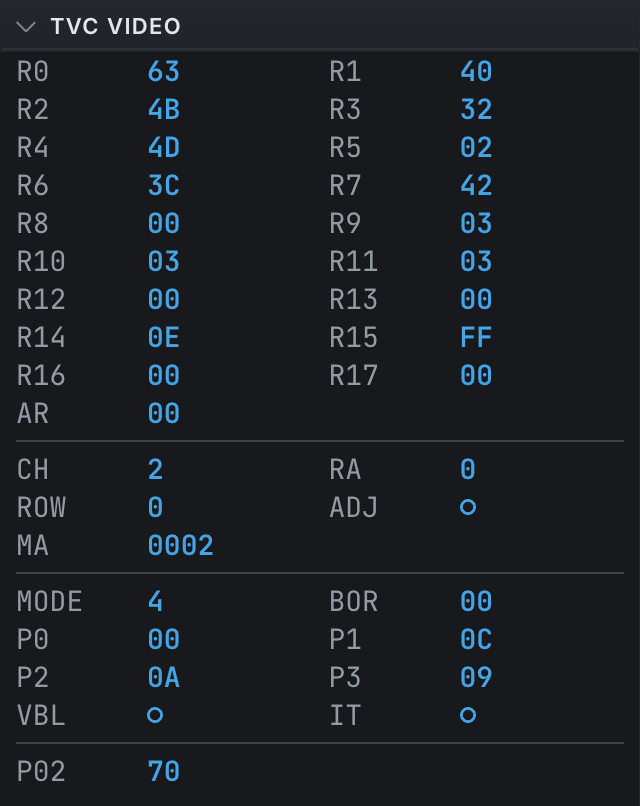
The TVC Video panel in the Debug activity shows the video chip: its registers, its counters, the graphics mode, the palette and border, the blanking and interrupt lines, and the paging ports.