Creating SpellMaster
Preface
When the Z88 came out, there was no facility to ‘Blow your own ROM,’ This was because the Z88 Application software was supplied on an EPROM card. As larger EPROM cards became available, it was possible to make compilations but there were only a few people around who had the skills to link the applications together, writing addresses on the back of envelopes and using Hex calculators. This all changed when Garry Lancaster wrote ROMcombiner. This allowed users to combine applications themselves. When the Flash cards become available, blowing those were added, so at last, all the applications that were written could be written onto one 1M card.
Now that all the companies that wrote software for the Z88 are no longer marketing their products it is now possible to download the ROM image and blow your own.
Main Prerequisites
The Z88 needs to have the following cards as a minimum configuration.

- Slot 1 needs to have at least 128K and at least enough RAM to store the image to blow. As the size of SpellMaster is 128K and additional space is required to run the application, 512K is the preferred size to work with. In the ROMcombiner instructions show how EPROM cards may be created by blowing the 16K individual image files lengths in several steps, bso it is possible to build one with 128K.
- Slot 2 may have another EPROM card with the Computer Link in it.
- and the following items are required:-
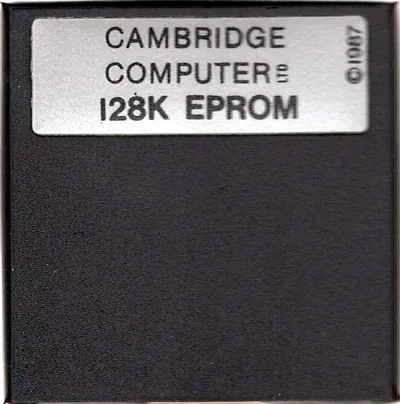 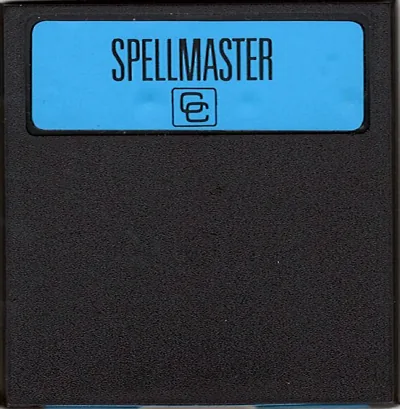 | A blank EPROM or Flash Card to store the applications or files. |
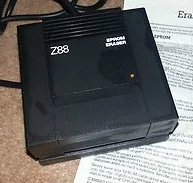 | (Optional) EPROM Eraser to erase the EPROM card (if required). |
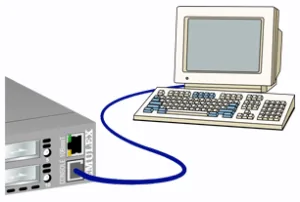 | Connecting the Z88 to the Desktop to transfer the programs to the Z88. See Computer Links for more details |
Getting the image
There are different ways of obtaining the image of an application.
- Downloading
- Copying
- Writing your own
Download the Application
Z88 Applications are stored in 16K size files called banks. To keep these files together, they are stored in a zip file, which also compresses the collection. There are a number of steps that need to take place. These are:-
-
Download the zip file from the internet
-
Unzip the file either on the
- Desktop or
- Z88
-
Transfer either the zip or un-ziped files to the Z88
-
Run ROMcombiner on the Z88 to blow the image into the Flash or EPROM.
To demonstrate how this is done we are using the SpellMaster ROM which needs 128K or space.
Using Rakewell Flash Card with OZ v4.x
The main advantage of using this combination is that it has
- ROMcombiner
- Unzip
- Eazylink2
already on the Z88. The procedure is as follows;-
- On the Desktop Download the spell.zip file.
- Using Eazylink2, transfer the file from the Desktop to the Z88.
Using Unzip
This is also covered elsewhere in this manual See Using Unzip.

Select Unzip either from the INDEX or □U.

Select the file required to be unzip, either by typing the name here, or by selecting it using the Filer. □F

Move the cursor with the →and mark the file with ENTER key. Pressing ESC returns to the previous screen but with the correct file name entered.

Press the ENTER key to start the operation.

Select a to extract all the files.

When all the files have been inflated, leave Unzip with ◇Q. Check the files are all there by selecting the Filer. □F again.

Download ROMcombiner

Either Download the RomCombiner V2.10zip file from above, or use Flashstore □J to fetch Romcombiner to the RAM.
ROMcombiner instructions
The full instructions are found here .
Unzipping ROMcombiner
Working with Directories
If the download is used, the file name is longer than 12 characters long. When transferring the file to the Z88, that file name will be truncated.

After unzipping the file a ROMCOMBINER-.10 Directory will be formed.

The files created in this Directory need to be with the image files in the root directory. Tree Copy ◇TC is used to copy these files.

The Source and Destination are entered as follows:-
:RAM.1/RomCombiner-.10 ENTER :RAM.1/ (no spaces)

To ERASE Directories, Files and Directories need to be erased first. In this case, move the cursor over the ROMCOMBINER-.10 and use SHIFT ↓to select it. Move the cursor over DOC and use SHIFT ↓again to select it. These files are erased first using ◇ER, at the :Name prompt use the wildcard charater * to select all files. After these files have been deleted, move up to the Directory above with SHIFT ↑and do this operation again. Finally moving up to the Root Directory above with SHIFT ↑delete the ROMCOMBINER-.10 by marking it and then ◇ER.
The advantage of using the Rakewell card is that Romcombiner.zip is already stored in the file area and can be transferred into RAM using Flashstore □J.

Move the cursor across →press ENTER twice and the file will be saved to RAM.
Unzip the file either using Unzip as above or unzipping them on the Desktop and trqnsferring them to the Z88.

The files important files are shown here displayed in the Filer are:-
- SPELL.53 -.63 - These are the image files for SpellMaster.
- Romcombiner.bas, .bin & RomUtil.bas - These files are required to blow the image to the EPROM card. The other files shown are the DOC and ROMCOMBINER-.10 Directories which are not used for this operation.
Running RomCombiner
To run the program, do the following:-
- Select BBC BASIC □B. Type
- RUN “ROMCOMBINER.BAS”
The following screen is displayed.

EPROMs can only be programmed in Slot 3.
Verify EPROM banks properly erased
Press V. followed by
- F
- 128 ENTER
If the EPROM is properly erased the following screen is displayed.

If an error message is displayed, the EPROM should be removed and erased again with the EPROM Eraser until it passes this test.
Blow image files to blank EPROM
From the main screen, Select
- B
- 1 and then the Card name
- SPELL ENTER
- F

The screen will flash a few times until the following screen is displayed. If any programming errors are given, the EPROM will need to be erased and this procedure needs to be repeated from Verify EPROM banks properly erased .

- Select INDEX
- Open the Card Flap
- Remove the 128K EPROM card from slot 3
- Close the Card Flap
- Open the Card Flap
- Insert the 128K EPROM in slot 2
- Close the Card Flap
- Press the ↑key to display the two new applications at the bottom of the list

Copying an Application
ROMcombiner has a Read command that can be used to read an EPROM or Flash Card.
Use ‘R’ to start the process.

‘F’ will save the Full ROM, splitting it into 16K blocks using the card name as a base name.

For details on how to use all the other commands see the romcombiner.txt in the DOC Directory.
Writing your Own Application
If you’re a developer, we have all you need too, just read the Developer’s Notes on our wiki, https://cambridgez88.jira.com/wiki/display/DN/ (applies to all Z88 ROM releases, including OZ v4.5).