Using ZX BASIC
The ZX Spectrum was famous for its BASIC interpreter, which was significantly faster than other home computers’ BASIC variants in 1982. However, the compiled variants that emerged later were much faster, making BASIC a viable alternative to writing games and applications in assembly language.
With the ZX BASIC extensions, including graphics utilities, user-defined functions, and a powerful array handling facility, developers could create useful programs, including animation and sound effects.
However, BASIC still ran as an interpreted language, which means the computer had to process the source code line by line, limiting the execution speed of BASIC programs. This issue, and the emergence of BASIC compilers including HiSoft BASIC, gave birth to new possibilities.
Boriel’s ZX BASIC (you can find it here ) is a BASIC dialect similar to the original Sinclair BASIC. It fixes many issues found in the original language, such as proper subroutine handling and local variables. It compiles BASIC source code to Z80 binary code, which runs much faster than interpreted BASIC.
Klive compiles ZX BASIC with its own compiler, Klive BASIC, which is built into the IDE and compatible with Boriel ZX BASIC. It needs no installation, and it produces the debug information that lets you step through your BASIC program statement by statement. If you prefer, Klive can build with Boriel’s own compiler instead, Boriel BASIC 2, which comes with Klive (see Using Boriel BASIC).
ZX BASIC Files
Files with the .zxbas or .bas extension are recognized as ZX BASIC files. A new project created with the zx-basic template (ZX Spectrum 48, 128 and Next) starts with a code/program.zxbas file that is ready to build.
Klive BASIC
Klive BASIC is compatible with Boriel ZX BASIC 1.19: the same language, the same options and #pragmas, the same standard libraries and the same inline assembly dialect. It also supports NextBuild’s CODEBANK extension for the ZX Spectrum Next. It generates code for the ZX Spectrum 48K, 128K and +3 and the ZX Spectrum Next; the target follows the machine you have selected in the emulator.
Compatibility is checked, not assumed: several thousand test cases are compiled by both Klive BASIC and zxbc, run on the same emulated machine, and must show the same results. The few places where Klive BASIC gives a different result on purpose are listed in Where Klive BASIC differs from zxbc. The machine code itself is Klive’s own, so addresses and sizes differ from zxbc’s.
Build options in the source
Options go in the comment lines at the top of the build root file, before the first line of code, one per line as '@name value:
'@optimize 0
'@heap-size 4768
'@array-base 1

PRINT "Hello"
These options correspond to zxbc’s command-line options:
| Option | What it sets | zxbc option |
|---|---|---|
origin | The address the program starts at ($8000) | --org |
optimize | The optimisation level, 0-3 (2) | -O |
heap-size, heap-address | The size (4768 bytes) and, optionally, the fixed address of the heap that holds strings and dynamic arrays | --heap-size, --heap-address |
array-base, string-base | Whether arrays and strings count from 0 (the default) or 1 | --array-base, --string-base |
case-insensitive | Names match in any case | --ignore-case |
sinclair-compatible | Sinclair BASIC’s conventions: both bases 1, names in any case, ATTR, POINT and SCREEN$ without an #include | --sinclair |
require-declarations, require-types | Every variable declared, every declaration typed | --explicit, --strict |
check-memory | Report 4 Out of memory when the heap is full | --debug-memory |
check-bounds | Report 3 Subscript wrong for an array index outside its bounds | --debug-array |
break-key | Stop with L BREAK into program when BREAK (CAPS SHIFT + SPACE) is pressed | --enable-break |
define | Preprocessor symbols, as NAME or NAME=value | -D |
zxnext | Accept the ZX Spectrum Next’s instructions in inline assembly on any target | --zxnext |
headerless | No start-up and no end code: the program returns to its caller | --headerless |
asm-dialect | The dialect of ASM blocks: zxbasm (the default) or klive | |
emit-asm, emit-ir, emit-map | Write the generated assembly, the intermediate code and a label map beside the source | -f asm, -M |
codebank-window, codebank-window-size, codebank-first-page, codebank-pages | Where CODEBANK code runs and which 8K pages hold it (ZX Spectrum Next) |
#pragma lines work as in Boriel ZX BASIC. array_base, string_base, case_insensitive, explicit, strict and default_byref change what follows them (with push and pop); the others (heap_size, array_check, enable_break, org, …) set the option for the whole program, wherever they stand, and override the header.
Inline assembly
ASM … END ASM blocks use the dialect of Boriel’s assembler, zxbasm, so existing libraries (NextBuild’s NextLib, for example) compile unchanged: ; comments, several instructions on a line separated by :, PROC … ENDP with LOCAL labels, temporary labels (1: referenced as 1b and 1f), $1F, 1Fh and %101 numbers, DB, DW, DS and EQU. #define macros are expanded inside the block. A program’s variables are _name, its labels .LABEL._name.
A routine written in assembly follows zxbc’s conventions: a FASTCALL routine gets its first argument in A, HL or DE:HL and the return address on top of the stack (the others below it), and a FUNCTION returns its result in A, HL, DE:HL or, for a Float, A, E, D, C, B.
To use Klive’s own assembler syntax instead (the one of Klive’s .kz80.asm files), add '@asm-dialect klive to the header, or put the blocks between #pragma push(asm_dialect), #pragma asm_dialect = klive and #pragma pop(asm_dialect).
The standard library
These libraries are included with #include <name.bas>, as in Boriel ZX BASIC: asc, attr, clearbox, csrlin, fmath, hex, hmirror, input, input42, keys, megalz, memorybank, point, pos, print42, print64, putchars, puttile, screen, sinclair, string and zx0, and Klive’s own farmem (far memory for CODEBANK programs). They are Klive’s own code, written to behave as the libraries documented for Boriel ZX BASIC. Library files that Boriel ZX BASIC ships without documentation are not available.
zx0.bas decompresses data packed with ZX0 by Einar Saukas (its current format; the Back routines take data packed backwards), megalz.bas data packed with MegaLZ.
Where Klive BASIC differs from zxbc
Klive BASIC gives a different result from zxbc 1.19 only in these cases:
- Where
zxbc’s result is wrong. Klive BASIC keeps the correct result for:MODof Float and Fixed values (the floored remainder,-7.5 MOD 2is0.5); Fixed division (exact to 1/65536); Fixed and Float division by zero (6 Number too big); a signed Byte division, and a signed division orMODby a power-of-two literal (-7 / 2is-3,-1 MOD 4is1); aFORloop that never runs (its variable still takes the start value); a substring assignment that reaches past the end of the string (clipped, instead of writing past it); and a full heap withoutcheck-memory(the string that does not fit is empty, instead of writing past the heap). - Where
zxbc’s result depends on leftovers. A FUNCTION that ends withoutRETURNgives 0 (or the empty string); aFASTCALLroutine with a BASIC body can read its first parameter; aBYREFFloat parameter reads and writes the caller’s variable; a variable used only by inline assembly is kept; code builtheaderlessstill prints. - Where
zxbcstops with an internal error. Programs such asCHR$(65, 66),SIZEOF(LONG),BNOT 2.5, a constant division by zero or a comparison of two string constants compile as the documentation describes. - Where
zxbcrepairs a malformed statement without a word (PRINT ),CLS 1,DIM x y, …): Klive BASIC reports a syntax error. - Library details: the glyphs of
print42andprint64are Klive’s own (the cursor and the control codes work as in Boriel’s), andfSin,fCosandfTanreduce angles outside 0-360 exactly. zxnext: the option works (zxbc’s--zxnextflag has no effect in 1.19; its#pragma zxnextworks in both).
Banked code on the ZX Spectrum Next (CODEBANK)
On the ZX Spectrum Next, routines and data inside a CODEBANK block live in their own 8K memory pages instead of the program’s main memory:
CODEBANK 1
DIM table(1000) AS UByte
FUNCTION Lookup(i AS UInteger) AS UByte
  RETURN table(i)
END FUNCTION
END CODEBANK

PRINT Lookup(10)
A call is written as any other call. The program pages the routine’s bank into a window ($6000–$7FFF by default, or 16K with '@codebank-window-size 16k) and pages the caller’s memory back when it returns. Bank-local data is reachable from outside its bank through FARPTR and the #include <farmem.bas> routines (FarPeek, FarPeekW, FarPoke, FarPokeW, FarCopy, FarCopyTo, FarStr). The compiler reports a bank that does not fit its window, and a window that overlaps the program. With '@emit-map, a build also writes <name>.banks.json and one <name>.bank<n>.bin per bank, in the format NextBuild’s tools read.
An interrupt handler must not call a banked routine or read bank-local data: the window may hold another bank when the interrupt arrives.
Debugging BASIC at source level
A debug run of a Klive BASIC program steps statements, not Z80 instructions. On a line such as a = 1 : b = 2 : PRINT a + b, each statement is a step and the editor highlights only the statement about to run.
- Step Into stops at the next statement, inside a called SUB, FUNCTION or GOSUB subroutine if there is one. Its drop-down (Step Into Target) lists the routines the current statement calls, so you can step into the second of two calls directly.
- Step Over runs calls completely and stops at the next statement of the current routine.
- Step Out runs until the current routine returns, and stops in the calling statement; the Variables panel then shows the value a FUNCTION returned.
- Step Over Line runs the rest of the current line.
- The toolbar’s Source / Z80 button switches to stepping Z80 instructions and back.
Breakpoints set in the gutter stop at the line’s first statement; the small markers in front of further statements on a line set a breakpoint on that statement only. The Call Stack panel shows the chain of routines and GOSUB subroutines (recursive calls once per level), and Run to this frame on a row runs until control is back there. The Variables panel shows the selected routine’s parameters and locals, the globals and your watch expressions, which can be any BASIC expression over variables and array elements. When the program raises a BASIC error, the debug run stops at the statement that raised it, before the error report.
All of this works across CODEBANK banks too: breakpoints fire only in their own bank, the call stack shows the real callers of banked routines, and bank-local variables are read from their bank even when another bank is paged in.
These commands change how source stepping behaves (they are saved as settings):
| Command | Effect |
|---|---|
em-src <on|off> [-i] | Step source statements (on) or Z80 instructions (off); -i also stops inside interrupt handlers |
em-err <on|off> | Stop where the program raises a BASIC error (on by default) |
em-jmc <on|off> | Just My Code: step over the standard library’s code (on by default) |
Exporting a ZX Spectrum Next program as a NEX file also writes <name>.nex.kbasic-debug.json beside it. When you run that NEX with nex-run <file> -d, Klive loads the file’s source-level debug information, so the program steps at source level without rebuilding it. A NEX rebuilt later by another tool does not match its old debug file, which is then ignored.
Editing ZX BASIC
While you type, Klive BASIC checks the program in the background (about a second after you stop typing) and the editor uses what it learns about your symbols. Everything below works across #included files, including the standard library’s.
- Hover a name to see its declaration: a variable’s type and whether it is global, local or a parameter (and
BYREF), a constant’s value, an array’s bounds, a SUB’s or FUNCTION’s signature with the comment lines written directly above it. Keywords, built-in functions, directives,#pragmaoptions and'@header options show their syntax and a short description, and numbers show their value in the other bases. - Go to Definition (F12) jumps to where a name is declared. On an
#includeline it opens the file; a standard library file opens read-only. - Find All References (Shift+F12) lists the uses of the symbol under the cursor. It knows scopes: a local
totalinside a FUNCTION is not the globaltotal. - Completion offers what fits where you type: statements and snippets at the start of a statement, values and functions in an expression, types after
AS, labels afterGOTOandGOSUB, directives after#,#pragmaoptions, library files in#include <…>, and header option names and values in'@lines. A library routine that the program does not include yet is offered too; choosing it adds the#includeline. - Signature help shows the parameters of the SUB, FUNCTION, built-in or library routine you are calling, also for a SUB called without parentheses.
- Rename (F2) renames a variable, array, constant, SUB, FUNCTION, parameter or label in every file, keeping any
$sigil. It refuses a name that a visible symbol or a library routine already uses, and a symbol that a macro uses. - Outline (the editor’s symbol list, Cmd/Ctrl+Shift+O) lists the file’s SUBs and FUNCTIONs with their parameters and locals, constants, global arrays and variables (also those created by their first use, without
DIM), labels andCODEBANKblocks. - Folding and block highlights cover
SUB,FUNCTION, multi-lineIF,FOR,WHILE,DO,ASM,CODEBANK,#ifregions and runs of comment lines.
While a line is half-typed and the program has errors, the editor keeps using the last check that succeeded. A name declared since then becomes known when the program compiles again. A file that the build root does not include is checked on its own while it is open.
With Boriel BASIC selected, the editor knows no symbols: keyword help, keyword and library completion, signature help for built-ins, folding and block highlights still work.
Using Boriel BASIC
Klive comes with Boriel BASIC 2 (zxbc, currently version 2.0.0-beta25, redistributed with its
author’s permission). The first time Klive starts, it offers to install it in the zxbasic2 folder of
your home folder; you can pick another folder, or skip it and install it later from Settings ›
Integrations › Boriel BASIC. The same dialog accepts an installation you already have, and repairs or
updates one that no longer works. Klive remembers where Boriel BASIC is installed.
Klive BASIC stays the compiler of your BASIC programs until you choose otherwise: pick Boriel BASIC in Settings › Integrations › Compiler for BASIC programs, tick Use Boriel BASIC to build BASIC programs in the Boriel BASIC dialog, or type:
set zxbasic.compiler boriel(set zxbasic.compiler klive switches back; a project can pin its own choice in its settings with
set -p, and then the Settings row and the dialog’s checkbox change the project’s choice.) While a BASIC file is open in the editor, the status bar names the compiler that builds it;
click the name to open the Boriel BASIC dialog. Projects and templates are the same for both
compilers. The build options in the source header are translated to zxbc’s options; the few that
only Klive BASIC understands (asm-dialect klive, debug-info, the codebank-* options, …) produce
a warning and are ignored.
CODEBANK is Klive BASIC syntax, and Boriel BASIC does not compile it. The ZX Spectrum Next’s
zx-basic template uses it, so build that template with Klive BASIC, or move its banked code into a
module (see below). A Boriel BASIC build that fails on CODEBANK says so at the CODEBANK line.
Modules and banked code
Boriel BASIC 2 programs can USE modules: a MODULE name … END MODULE file in the program’s folder
(or in a folder of the include-path option), whose PUBLIC routines the program calls as
name.Routine(...).
On the ZX Spectrum 128K and the Next, add '@split-modules to the header to put each module into a
RAM bank of its own, so a program can be larger than the memory below $C000:
'@split-modules
USE tiles
USE music

tiles.Draw(3)
A call into another bank is written as any other call; the compiler pages the bank in and back out.
Klive runs and debugs such a program as any other: breakpoints in a module stop only in their own bank,
the call stack and Step Into, Over and Out work through the calls between banks, and a stop in a
module opens its file. On the ZX Spectrum 128K, exporting such a program as a TAP or TZX file saves
the tape zxbc writes, whose loader pages the banks in as the program expects; load it from 128 BASIC
or its Tape Loader. Klive’s own loader options (a BASIC loader, a border, a screen) do not apply to it. The
option has no effect on the 48K, which has no banks to use (Klive warns about it). Klive BASIC accepts
the option and ignores it, with a warning: it banks code with CODEBANK.
With Boriel BASIC, Klive builds for the ZX Spectrum 48K, 128K and +3, the Timex and Scorpion machines,
and the ZX Spectrum Next (whose programs run from the .nex file zxbc writes). Its errors and warnings
appear in the Output panel and in the editor, marking the whole line, because zxbc reports no column.
Source-level debugging works with Boriel BASIC too, on every machine it builds for: breakpoints, statement stepping, the call stack and the Variables panel read the debug information zxbc writes, and exporting a Next program as a NEX file writes the same .nex.kbasic-debug.json file as Klive BASIC does, for nex-run -d. A few things are not shown yet: a FASTCALL routine’s parameter, and the contents of an array whose bounds are not constant.
Using ZX BASIC
When you create a ZX BASIC file, you can write your source code using ZX BASIC syntax. When you open a .bas file, you can see four build-related icons in the document tab bar:
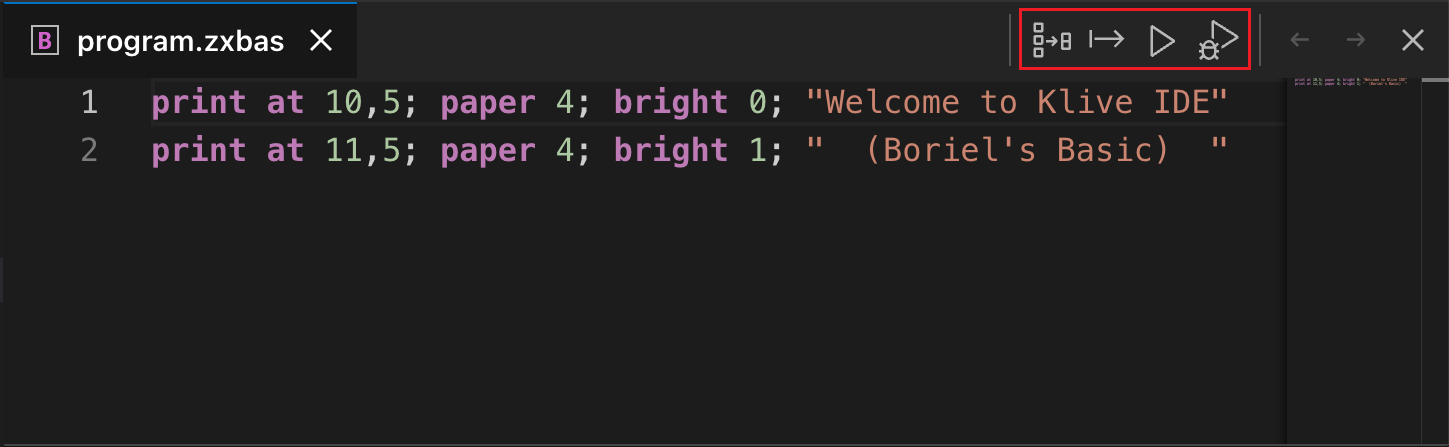
Click the rightmost icon (with the “play” sign) to compile and run the code:
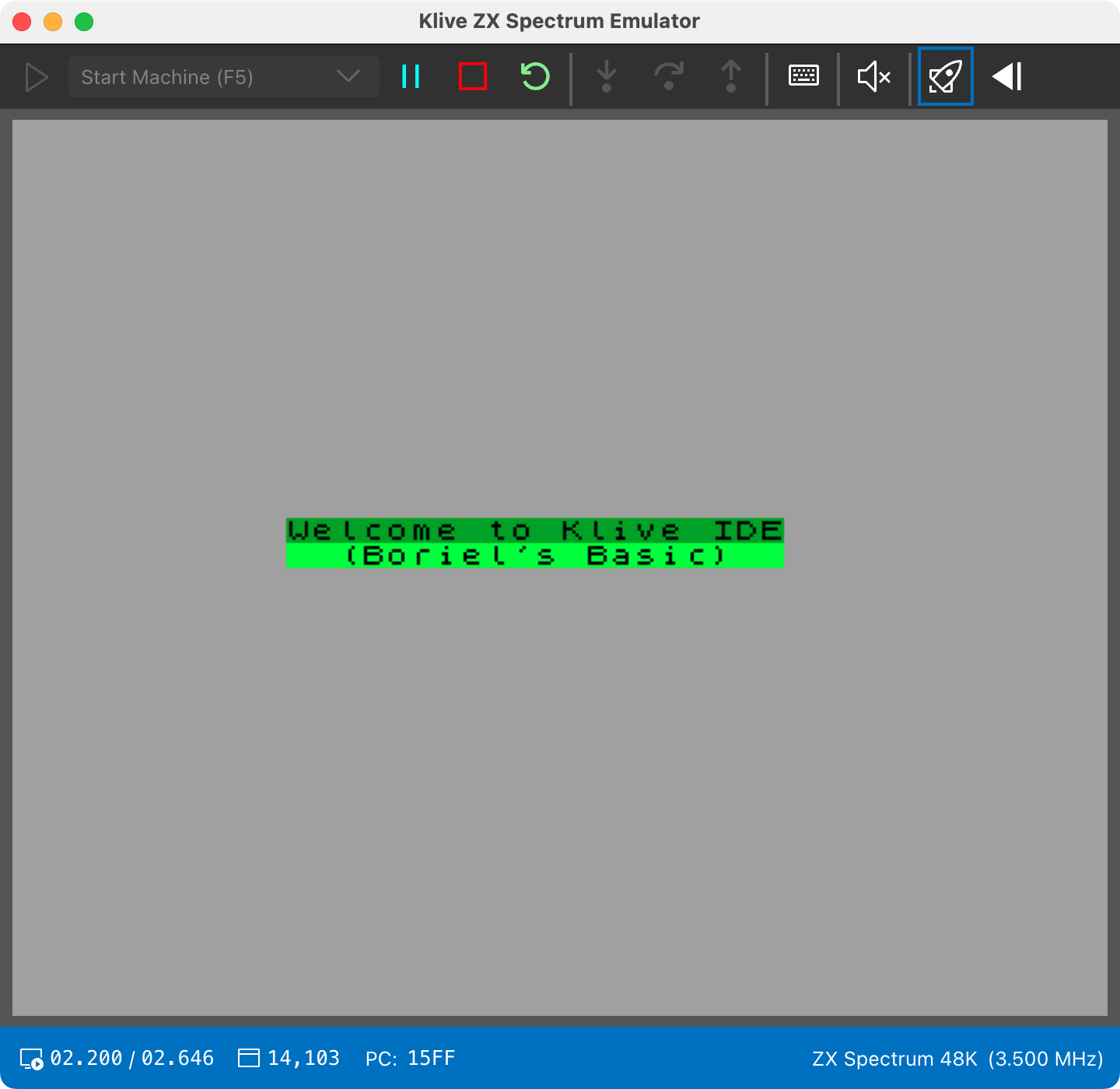
These actions have no keyboard shortcuts. You can also start them from the IDE’s command prompt with compile, inject, run and debug, which act on the project’s build root.
Handling Errors
When you run the code, the compiler checks the syntax. If there are any errors, the IDE displays them in a list in the Output panel. You can click on an error to navigate to its location in the source code.
Debugging
You can run your code in debug mode by clicking the last icon in the document tab bar or with the debug command. With Klive BASIC, debugging works at source level as described in Debugging BASIC at source level; with Boriel BASIC too, with the limits listed in Using Boriel BASIC.