Using the ZX81 and ZX80
Klive emulates the Sinclair ZX81 and its predecessor, the ZX80. Choose one from Machine in the emulator’s menu:
| Machine | Models |
|---|---|
| Sinclair ZX81 | 16K (the default), 1K, 64K, and the US machine (Timex Sinclair 1000) with 16K or 1K |
| Sinclair ZX80 | 16K, 1K, and the ZX80 with the 8K ROM upgrade (the ZX81 ROM) |
The ZX81’s picture is built the way the real machine builds it, line by line, from the display routine the ROM runs. So both of its modes work as they did: SLOW mode computes and displays at the same time, and FAST mode shows no picture while a program runs. Programs that draw their own hi-res graphics also work.
While a FAST-mode program runs, the machine sends the television no usable sync. Klive shows a black screen for it by default. Turn on Settings › Emulator › Show TV noise without sync to see the noise a real television showed instead; a ZX80 gets it too, whenever it computes. The setting changes only the display, not the machine.
Typing
The ZX81 has no separate keys for its keywords: the key you press means a keyword or a letter
depending on the cursor. At the K cursor, P is PRINT, J is LOAD and R is RUN. To print a
greeting, type P, then Shift+P for the quote, HELLO, Shift+P again and Enter:
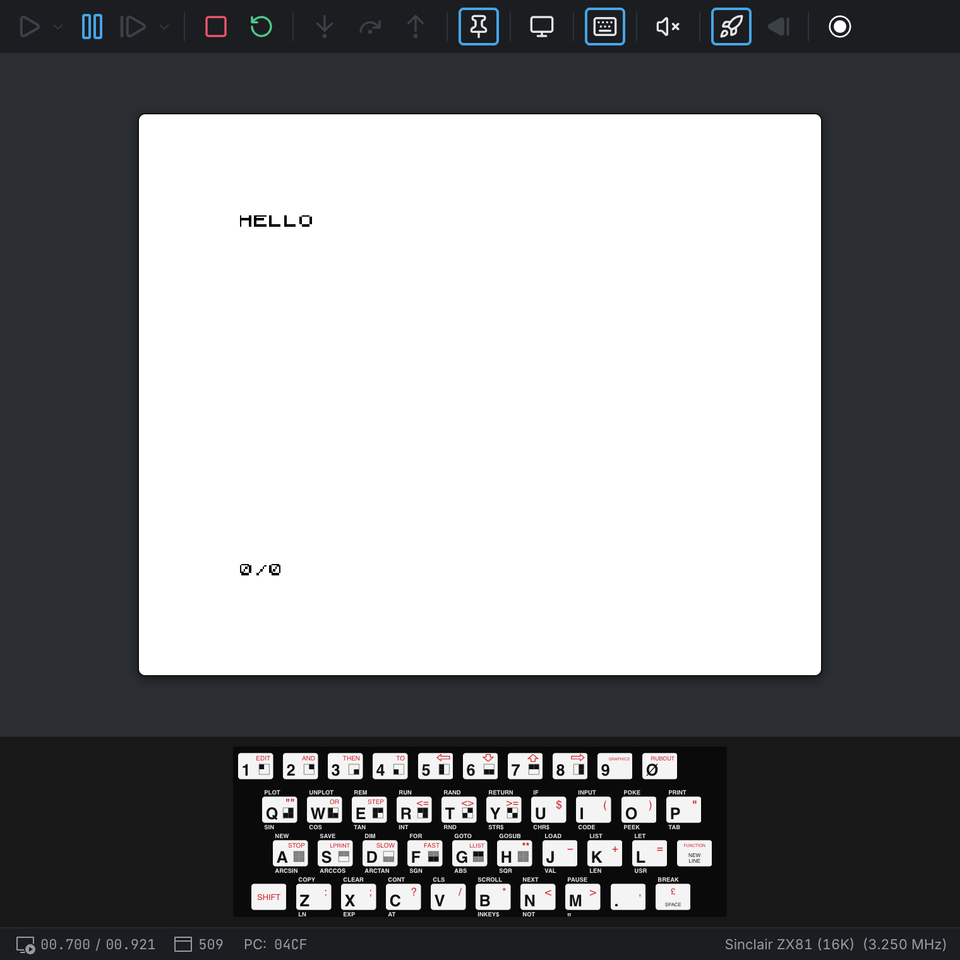
Your keyboard maps to the ZX81’s like this:
| Your key | ZX81 key |
|---|---|
| Both Shift keys | SHIFT |
| Enter | NEW LINE |
| Backspace | RUBOUT (SHIFT+0) |
| The arrow keys | the cursor keys (SHIFT+5 to SHIFT+8) |
| Escape | BREAK (SHIFT+SPACE) |
` or F1 | EDIT (SHIFT+1) |
| Comma | SHIFT+. |
The virtual keyboard follows the original’s layout. Click a key to press it, or click it with the
right mouse button to press it with SHIFT. Clicking a red legend presses SHIFT with the key. Clicking
the function printed under a key (SIN, RND…) or the block graphic on a key types the keys
that produce it:

The ZX80 has its own virtual keyboard: blue keys with the keyword printed above each letter and the shifted legends in amber. Every legend on it is a key on its own or with SHIFT - the ZX80 has no function or graphics mode, and its block graphics are SHIFT with Q to T and A to G - so clicking an amber legend or graphic presses SHIFT with the key. A ZX80 with the 8K ROM shows the ZX81 keyboard, as the upgrade kit came with a ZX81 keyboard overlay.
The ROM ignores a key pressed too soon after the previous one. If the virtual keyboard seems to skip a click, wait for the last one to appear on the screen.
Loading programs
ZX81 programs come as .p (or .81) files, ZX80 programs as .o (or .80) files. They hold a
copy of the machine’s memory, the way the ROM saved it to tape. To load one:
- Choose Machine → Program → Select Program File…, then Machine → Program → Load and Run the Program; or
- right-click the file in the Explorer and choose Load and run tape; or
- run
tape-load <file> -rin the command prompt.
Klive resets the machine, types LOAD "" (on the ZX80, LOAD), and when the ROM has loaded the
program, types RUN. Programs saved to start themselves just start. With Fast Load on (the
default) the program loads at once; with it off, it plays in real time, as from a cassette, and the
ROM’s stripes show on the screen while it loads.
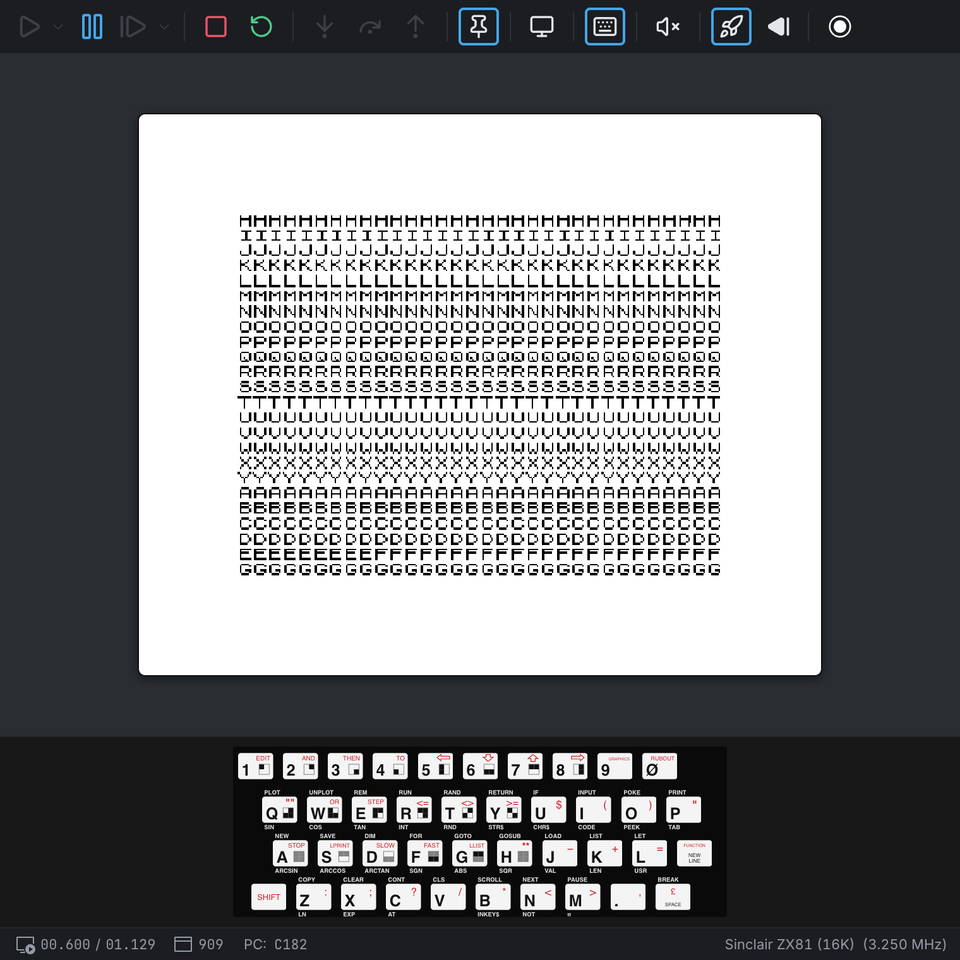
A program saved in FAST mode loads in FAST mode, so it shows no picture while it runs. Type FAST
or SLOW (SHIFT+F, SHIFT+D at the K cursor) to switch.
Viewing program files
Open a .p (or .81) file in the Explorer and Klive shows what is in it, as it does for a .tap
or .tzx tape. A strip at the top sums it up: its size, the RAM it needs (1K or 16K), its number of
BASIC lines, the line it runs from after loading (a program saved by one of its own lines carries on
from the next line) and whether it loads in FAST or SLOW mode.
Below it are the parts of the file, the way the ZX81 keeps them in memory, each at its own address:
| Part | What the details show | Pops out as |
|---|---|---|
System variables ($4009) | D_FILE, VARS, E_LINE, NXTLIN and CDFLAG, which say where everything else is | Memory |
BASIC program ($407D) | The number of lines and where the program starts | Listing, Memory, Disassembly |
| Display file | The screen as it was at the SAVE, drawn with the ZX81’s own characters | Screen, Memory |
| Variables | Each variable and its value: numbers, strings, arrays and FOR loops | Memory |
Pop a part out from its row’s icon, by double-clicking the row, or with Enter. The listing is the
ZX81’s own: its keywords and its spacing. Memory and Disassembly list the bytes at their real
addresses, so machine code kept in a REM line disassembles where it runs. Go Back returns to the
viewer.
Some programs, mostly small 1K ones, keep machine code in the system variables. Their pointers then do not mark out the parts, and the viewer shows everything after the system variables as one part. Programs built with an assembler often keep their own data where the variables would be; the viewer says so instead of listing variables.
ZX80 program files (.o or .80) open in the same viewer. A ZX80 file starts at $4000 and has
three parts: the system variables ($4000, showing VARS, E_LINE and D_FILE), the BASIC
program ($4028, listed with the ZX80’s own keywords and spacing) and the variables. It has no
display file - the ZX80 keeps it after the end of the file, so it is not saved - and the strip has
no line to run from or FAST/SLOW mode: the ZX80’s LOAD always stops and waits for RUN. Its
variables are the 4K ROM’s: whole numbers from -32768 to 32767, strings, one-dimensional number
arrays and FOR loops (which have no STEP).
Saving programs
SAVE "NAME" (S at the K cursor) on the ZX81 writes the program to a NAME.p file in the saved-files
folder (see Saving Files). Characters a file name cannot hold
become _. With Fast Load on, the save is instant; with it off, it takes as long as on a real
machine (about five seconds of lead-in, then some 40 bytes a second) and the ROM’s stripes show on
the screen. Press BREAK (SPACE) while it saves, and no file is written. The ZX80’s own 4K ROM does
not write .o files yet.
Debugging
Breakpoints, stepping, and the CPU and memory panels work as on the other machines. The
BASIC Listing view (View | Machine Views | BASIC Listing) lists the
program in memory the way the machine’s own LIST does. The
disassembly shows the byte after RST $08 as the ROM’s error report, and the calculator literals
after RST $28 by name.
While the ROM draws the picture, the CPU runs the display file through its copy above 32K
($C000 and up). The ZX81’s ULA turns every character there into a NOP. So when you step through
that area, the disassembly shows the characters in memory, but the CPU executes NOPs.
The ROMs
The ZX80 and ZX81 ROMs ship with Klive. They may be used free of charge in non-commercial
products; their notice is in roms/zx8081-roms-readme.txt next to the ROM files.